
Quick Answer
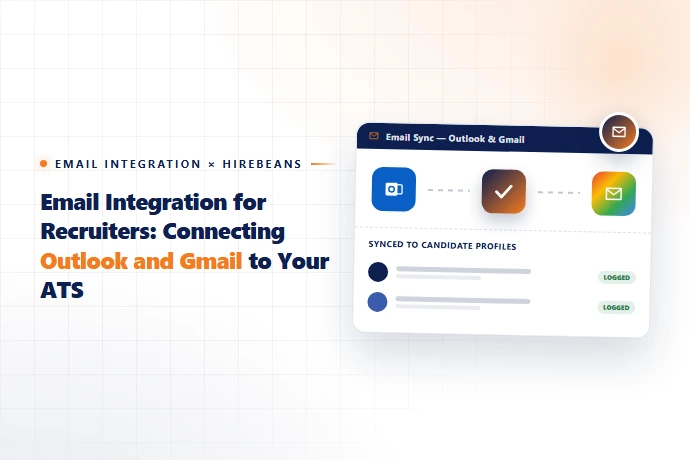
Email integration connects your Outlook or Gmail inbox directly to your recruitment ATS/CRM, so emails sent to and from candidates and clients are automatically logged against the right candidate, job order, or client record — without recruiters manually copying threads or CC'ing the system. The result is a single, searchable communication history per candidate that survives recruiter turnover, instead of communication history trapped in individual inboxes.
Why Email Integration Matters More Than It Sounds
On paper, email sync sounds like a minor convenience feature. In practice, it solves one of the most common failure points in agency operations: candidate and client history disappearing when a recruiter is out sick, changes roles, or leaves the agency. Without integration, that history lives only in one person's inbox. With it, every email touchpoint becomes part of the permanent candidate or client record — visible to whoever picks up the desk next.
What Should Actually Sync
- ✓Inbound and outbound emails with candidates, automatically matched to their existing profile
- ✓Client correspondence, logged against the relevant job order or account
- ✓Calendar invites and interview scheduling, so interview history is visible without cross-checking a separate calendar app
- ✓Attachments such as updated resumes or contracts, captured directly into the candidate or client file
- ✓If a platform only supports one-way logging (you manually forward emails in) rather than automatic two-way sync, you haven't really solved the underlying problem — you've just added a manual step.
Outlook vs. Gmail: What to Check Before You Connect
Consideration | Why It Matters |
|---|---|
OAuth-based connection (not password-based) | Password-based email sync is a security risk and often breaks when Microsoft/Google rotate security policies |
Two-way sync vs. one-way logging | One-way logging still requires manual work; two-way sync is genuinely automatic |
Shared inbox support | Agencies with team inboxes (e.g. a shared "submissions@" address) need this handled correctly, not just individual recruiter inboxes |
Data retention on disconnect | Ask what happens to logged email history if a recruiter's account is later disconnected or offboarded |
How This Fits Into a Recruitment Agency CRM
Email integration is one of the clearer examples of why a purpose-built recruitment agency CRM outperforms a generic CRM bolted onto a recruiting workflow. In a recruitment-specific system, a synced email doesn't just get logged — it gets tied automatically to the right candidate, job order, and client simultaneously, because those objects already exist natively in the platform. HireBeans includes Outlook and Gmail integration as part of its core feature set, alongside resume parsing and candidate portals.
What to Ask Vendors About Email Integration
- ✓1. Is the connection OAuth-based, or does it require sharing an email password?
- ✓2. Is sync two-way and automatic, or does it require manual forwarding?
- ✓3. Does it support shared/team inboxes, not just individual accounts?
- ✓4. Can email history be exported if we switch platforms later?
- ✓These questions fit naturally alongside the rest of our 15-question recruitment software buyer's guide — worth reviewing in full before you commit to any platform.
See It Connected
HireBeans syncs directly with Outlook and Gmail as part of its full feature set. Start a free 30-day trial to see it working against your own inbox.