
What the HireBeans Job Portal Looks Like
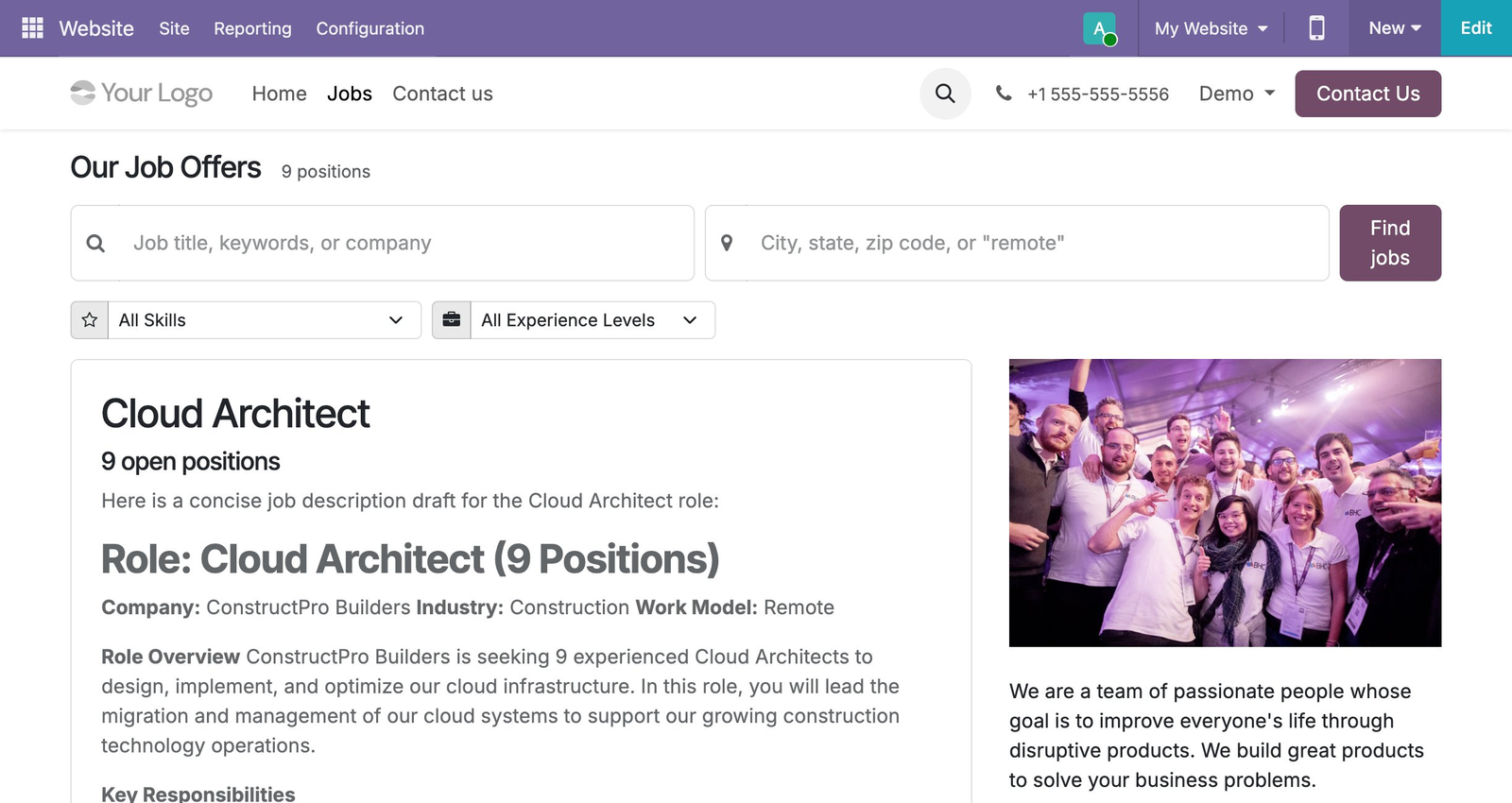
The public-facing job portal shows all open positions with a search bar (job title, keywords, company name), location filter, skill dropdown, and experience level filter. Each role has a rich listing card with an AI-generated job description, company details, and a direct apply button.
Open positions listed with search, skill, and experience filters, including an AI-generated job description.
How the Job Portal Connects to Your ATS
- ✓1. Toggle "Published" on a job position → role appears on your portal instantly
- ✓2. Candidate applies online → application lands in the New stage of the Kanban board
- ✓3. CV uploaded → OCR parsing runs automatically
- ✓4. Position filled and closed → listing removed from portal automatically
- ✓New applications join the same candidate database recruiters already search when sourcing for other roles.
SEO Benefits of the HireBeans Job Portal
Because HireBeans is built on Odoo Website, every job position gets a unique, Google-crawlable URL. Job postings can be configured for Google Jobs indexing with structured data markup. All traffic goes to your domain — not a third-party job board.
Want to launch your agency's branded job portal? Book a HireBeans demo
Book a Free Demo