
Context Switching Is Killing Your Recruiters' Productivity
Every time a recruiter leaves their ATS to join a Zoom call or check email for a client update, they lose focus. HireBeans eliminates this with Odoo Discuss — internal messaging, email integration, and video meetings with external guests, all inside your recruitment workflow.
Running Candidate Interviews Inside HireBeans
From any application record, click "No Meeting → Schedule a Meeting," add the candidate as an external guest, and the system sends them a browser-based join link. No Zoom account required. The interview happens in-browser, and notes are logged directly in the application chatter — part of the same candidate record recruiters already work from.
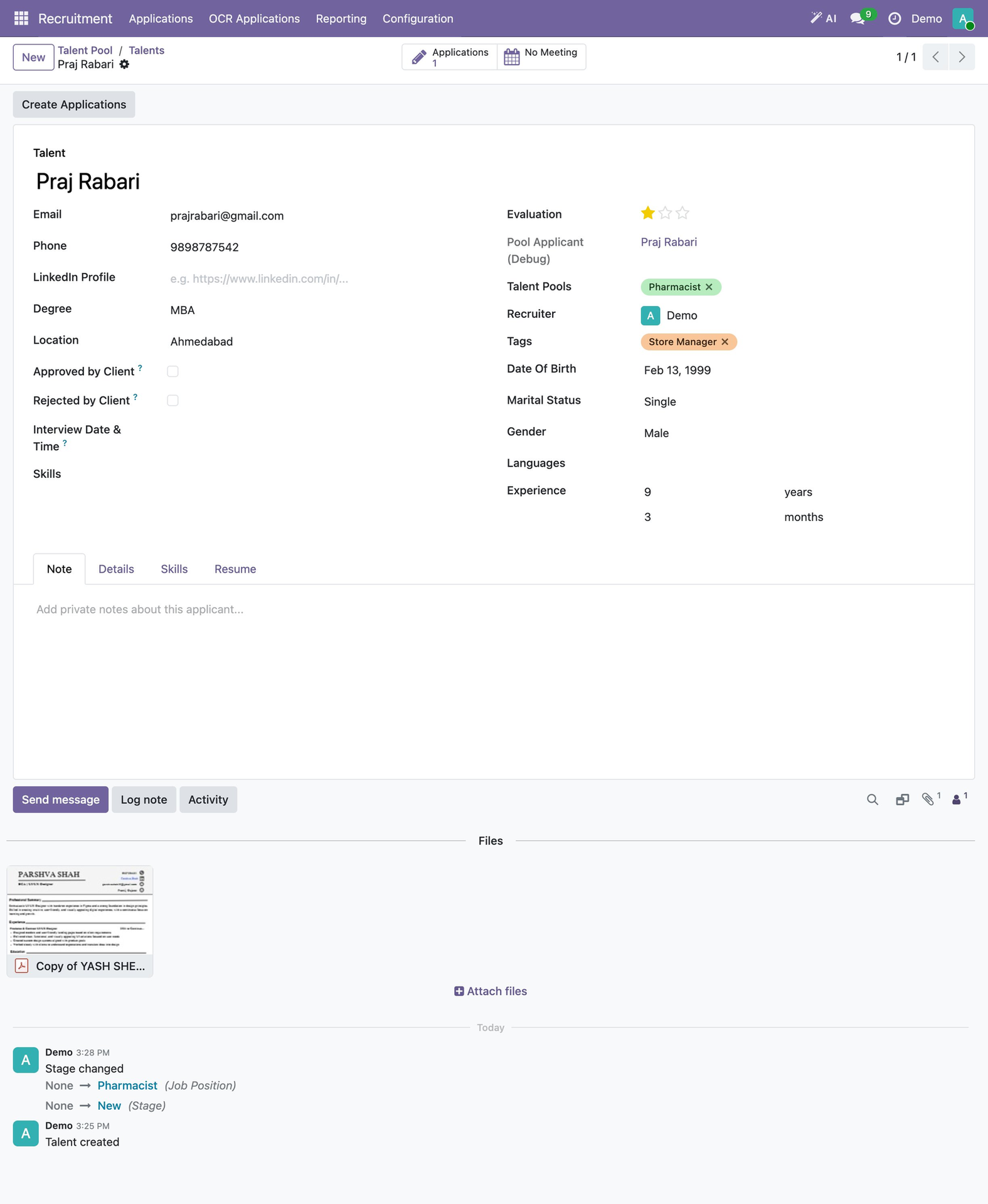
Schedule video meetings with candidates directly from within the ATS — no external tool required.
Complete Meeting Workflow Without Leaving HireBeans
- 1. Schedule meeting from application or talent record
- 2. External guest (client or candidate) receives a browser join link via email
- 3. Video meeting runs in-browser — no software download required for the guest
- 4. Notes logged in record chatter immediately after the meeting
- 5. Meeting record associated with candidate's full timeline automatically
- This is one piece of the broader recruitment agency workflow, from client requirement to invoice — interview scheduling is also one of the 15 essential features recruitment agency software should have.
Run your next client or candidate meeting without leaving your ATS — see HireBeans Discuss
Book a Free Demo