
Introduction
Design firms sell ideas, but they run on very ordinary things: fee proposals, hours, approvals, vendor quotes and invoices. When those live in different places, the studio does great work and still loses money, usually through scope creep, unbilled hours and materials ordered without a margin check.
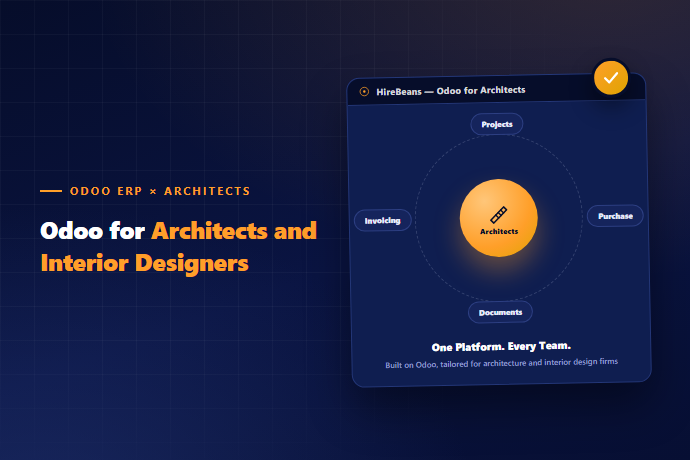
Odoo for architects and interior designers ties these threads together. This guide explains how a design project moves through Odoo, which apps matter, and where you will keep using your design software.
Where design practices leak profit
The design project lifecycle in Odoo
Fee proposals that become projects
In Odoo, a confirmed quotation can create a project and its tasks automatically, so the work you sold becomes the work you plan. Quotes can contain phases (concept, schematic design, detailed design, construction administration), optional items and different pricing methods: fixed fee, hourly rate or a percentage of construction cost that you calculate and enter.
Attach reference drawings, renderings or mood boards to the quote so the client sees what they are approving. Odoo stores the files; it does not edit them.
Tracking phases, hours and budgets
- ✓Set up a project template for each type of job, such as a residential fit-out, a commercial interior or a small building design. Each template carries the usual stages and tasks, so a new job starts with the right structure.
- ✓Timesheets then record hours by person and task. The firm sees:
- ✓Budgeted hours versus actual hours per phase.
- ✓Which phases consistently overrun.
- ✓Who is overloaded and who has capacity.
- ✓After a few completed projects you have real data to price the next proposal. That is the single biggest payoff for most design firms.
Milestone billing and stage payments
Design fees are usually paid in stages: on signing, at concept approval, at documentation, and at handover. Odoo supports invoicing against milestones or percentages, so the invoice follows the project's progress rather than the accountant's calendar. Down payments are handled on the sales order, then deducted from the final invoice.
Use the same structure for variation orders. When a client changes scope, add the change to the order, get approval and bill it. The record shows when and why.
Vendors, materials and purchase orders
- ✓Interior design firms spend heavily on other people's goods and labour. Odoo Purchase helps by:
- ✓Requesting quotes from several vendors for the same item.
- ✓Comparing prices and lead times.
- ✓Turning an approved quote into a purchase order.
- ✓Tracking receipts and vendor bills against each project.
- ✓If you resell items to clients at a markup, link each purchase to the client's sales order so margin per item and per project is visible. For firms that stock samples or small items, Inventory tracks what sits in the studio library.
Job costing: the report that changes behaviour
Odoo's analytic accounting tags revenue and cost to each project. That includes staff time from timesheets, vendor bills and expenses. The result is a profit view per project, per client and per service type. Firms are often surprised to find their favourite client or most prestigious job is their least profitable.
Approvals and client communication
A client portal lets customers view quotes, sign them and pay online. Sign and Documents can hold signed design approvals and site instructions with dates. This protects both sides: the client knows what was approved, and the studio has proof when a disagreement comes up later.
What Odoo does not do for design firms
- ✓Be clear on this before you start:
- ✓It is not drawing, modelling or rendering software — CAD, BIM and visualisation tools remain in your workflow. Odoo holds the files, links and versions you attach.
- ✓It does not replace specialist building-industry tools such as detailed construction scheduling or quantity take-off. Some firms integrate these.
- ✓Industry packages depend on the edition — Odoo lists an interior design package with design-approval-to-completion workflows. At the time of writing it requires Odoo Enterprise. Confirm current packaging with your partner.
- ✓Percent-of-cost fees and unusual billing rules may need configuration beyond standard.
- ✓Some vendors argue that a general ERP needs long custom work for design practices. In our experience the truth depends on scope: a firm that wants quotes, projects, timesheets, purchasing and billing can use standard apps with configuration. A firm that wants a drawing-aware workflow needs more.
A rollout plan for a design practice
- ✓Weeks 1-3: Sell and bill. CRM, quote templates, invoicing, chart of accounts.
- ✓Weeks 4-6: Run projects. Project templates, timesheets, budgets and approvals.
- ✓Weeks 7-9: Buy. Vendor list, purchase orders, receipts and linking costs to projects.
- ✓Weeks 10-12: Report. Profit by project, utilisation, and a monthly review ritual.
- ✓Start with one or two live projects rather than migrating every old file. Old projects can stay in your archive.
Ask your data a question
When the information is connected, HireBeans' AI agents for Odoo can answer plain-language questions: "Which projects are over their budgeted hours?" or "What is outstanding from vendors on the Harbour Street fit-out?" The answers come from your own Odoo data.
Ready to Try It?
Want to see your proposal-to-invoice flow mapped in Odoo? Book a Free Demo at hirebeans.cloud
Book a Free DemoRelated pages: hirebeans.cloud/erp-solution-for-professional-services-industry, hirebeans.cloud/erp-solution-for-construction-industry, hirebeans.cloud/erp-solution-for-real-estate-industry