
Introduction
Most IT firms do not have a tooling shortage. They have too many tools that do not talk to each other. Sales lives in a CRM, delivery in a project tracker, hours in a timesheet app, tickets in a helpdesk and invoices in accounting software. Nobody can answer a simple question like "Did that project make money?" without a spreadsheet and an afternoon.
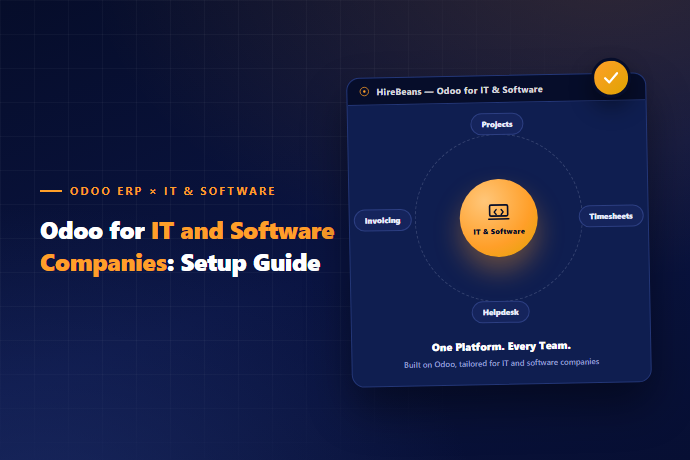
Odoo for IT and software companies fixes that by putting the commercial side of the business on one database: CRM, projects, timesheets, helpdesk, subscriptions, planning and accounting. This guide explains how the pieces fit, where Odoo is strong, and where you will still want a specialist tool next to it.
Where IT firms lose money without a connected system
- ✓These are the patterns we see most often in services and product companies:
- ✓Unknown project margin — Revenue is in accounting, effort is in timesheets, and the two are only compared at the end of the quarter.
- ✓Billing that trails delivery — Hours are logged late, invoices go out late, cash arrives later still.
- ✓Missed renewals — Annual support contracts and SaaS plans lapse because nobody owned the date.
- ✓SLA breaches — Tickets sit in a shared inbox until the customer chases.
- ✓Manual resource planning — Engineers are over-allocated on one project and idle on another because the plan is a spreadsheet.
- ✓None of these is a software problem in isolation. They are handoff problems between sales, delivery, support and finance. That is exactly what a single system is good at.
How Odoo maps to the IT delivery lifecycle
- ✓Lead — CRM: Enquiry, qualification, pipeline
- ✓Propose — Sales: Quote with scope, rates or fixed price
- ✓Plan — Project, Planning: Tasks, milestones, who works on what
- ✓Build — Timesheets: Hours logged against tasks
- ✓Support — Helpdesk, Knowledge: Tickets, SLA tracking, knowledge base
- ✓Bill — Sales, Accounting: Invoice from hours, milestones or plans
- ✓Renew — Subscriptions: Recurring plans and renewal reminders
- ✓The value is not any single app. It is that a won deal in CRM becomes a project, the project's hours flow to the invoice, and the invoice feeds margin reporting, with no re-keying in between.
Project delivery and timesheets
- ✓Odoo Project gives you tasks, stages, milestones, assignees and a Kanban or Gantt-style view. Timesheets attach hours to tasks, and those hours can be billed or left as internal cost.
- ✓What this solves in practice:
- ✓Time and materials work — Approved hours turn into invoice lines.
- ✓Fixed-price work — Track budgeted hours against actual hours and see the burn before it becomes a loss.
- ✓Milestone billing — Invoice when a milestone is signed off rather than on a calendar date.
- ✓Retainers — Sell a block of hours and see the balance as the client's team uses it.
- ✓A fair caveat: Odoo Project is not trying to be a full agile tool. If your engineers live in Jira, Linear or GitHub Projects for sprint ceremonies, keep them there. Many teams sync effort or ticket references into Odoo so that finance still sees hours and margin. Decide early which system is the source of truth for hours, because that single choice drives how clean your billing is.
Helpdesk and SLA tracking
- ✓For managed services and post-launch support, Odoo Helpdesk handles tickets from email, web form or portal, with SLA policies that set response and resolution targets by priority. Tickets can be linked to a customer's contract and to billable hours, so a support hour is not "free" by accident.
- ✓Useful setup choices:
- ✓One team per product or customer tier.
- ✓SLA clocks that pause when the ticket is waiting on the customer.
- ✓A knowledge base article suggested when the same issue shows up repeatedly.
Subscriptions and recurring revenue
If you sell SaaS plans, maintenance contracts or hosting, Odoo Subscriptions manages plans, automatic invoicing, renewal reminders and upsells. Because it sits beside accounting, you can see monthly recurring revenue, churn and upcoming renewals without exporting anything.
For a product company with usage-based pricing, check early whether your billing logic fits Odoo's standard plans. Usage metering from your own application usually needs a small integration that posts usage into Odoo.
Resource planning
Odoo Planning lets you allocate engineers across projects by week, see over-booking and compare planned hours with logged hours. For a 30-person firm this replaces the "who is free next month?" spreadsheet. For larger firms with complex skills matrices, plan on some configuration of roles and skills so the planning view reflects how you really staff work.
What Odoo does not do for IT companies
- ✓Being clear about this saves a failed project:
- ✓It is not a code or DevOps tool — Repositories, CI/CD and incident tooling stay where they are.
- ✓Deep sprint analytics (velocity, burndown at scale) are better in dedicated agile tools.
- ✓Complex revenue recognition across multi-element software contracts may need accountant input and configuration beyond the defaults.
- ✓Some apps depend on the edition — Several apps used here, such as Helpdesk, Planning and Subscriptions, are part of Odoo Enterprise, so confirm licensing with your implementation partner before you plan the scope.
A phased rollout that works
- ✓Trying to switch everything on at once is the usual way these projects stall. A sequence that tends to work:
- ✓Weeks 1-4: Sell and bill. CRM, quotes, invoicing and the chart of accounts. Finance gets value immediately.
- ✓Weeks 5-8: Deliver. Projects, timesheets and billing from hours. Start tracking margin per project.
- ✓Weeks 9-12: Support and renew. Helpdesk with SLAs, subscriptions and renewal alerts.
- ✓After go-live: Planning and reporting. Resource planning, dashboards and integrations with your engineering tools.
- ✓Pull in one or two team leads early. If engineers see timesheets as surveillance, adoption fails. If they see that accurate hours protect them from over-commitment, it works.
Ask your ERP questions in plain language
Once the data is connected, the next step is making it easy to read. HireBeans adds AI agents on top of your Odoo so a delivery head can ask "Which projects are over their estimated hours?" or "Which tickets are about to breach their SLA?" and get a table back, instead of opening five screens and building a report. The answers come from your own Odoo database, and actions such as reassigning a ticket can require approval before they run.
Is Odoo right for your IT company?
- ✓Odoo is a good fit if:
- ✓You are a services or product firm of roughly 10 to 200 people.
- ✓Your pain is the gap between sales, delivery, support and finance.
- ✓You want one system for the business side and are happy to keep engineering tools for engineering.
- ✓It is a weaker fit if you need an all-in-one engineering platform, or you already run a mature, well-integrated stack that works and only want a small improvement.
Ready to Try It?
Want to see Odoo run your delivery, support and billing in one system? Book a Free Demo at hirebeans.cloud
Book a Free DemoRelated pages: hirebeans.cloud/erp-solution-for-it-and-software-industry, hirebeans.cloud/erp-solution-for-professional-services-industry