
Job Position Form: Everything a Recruiter Needs in One Place
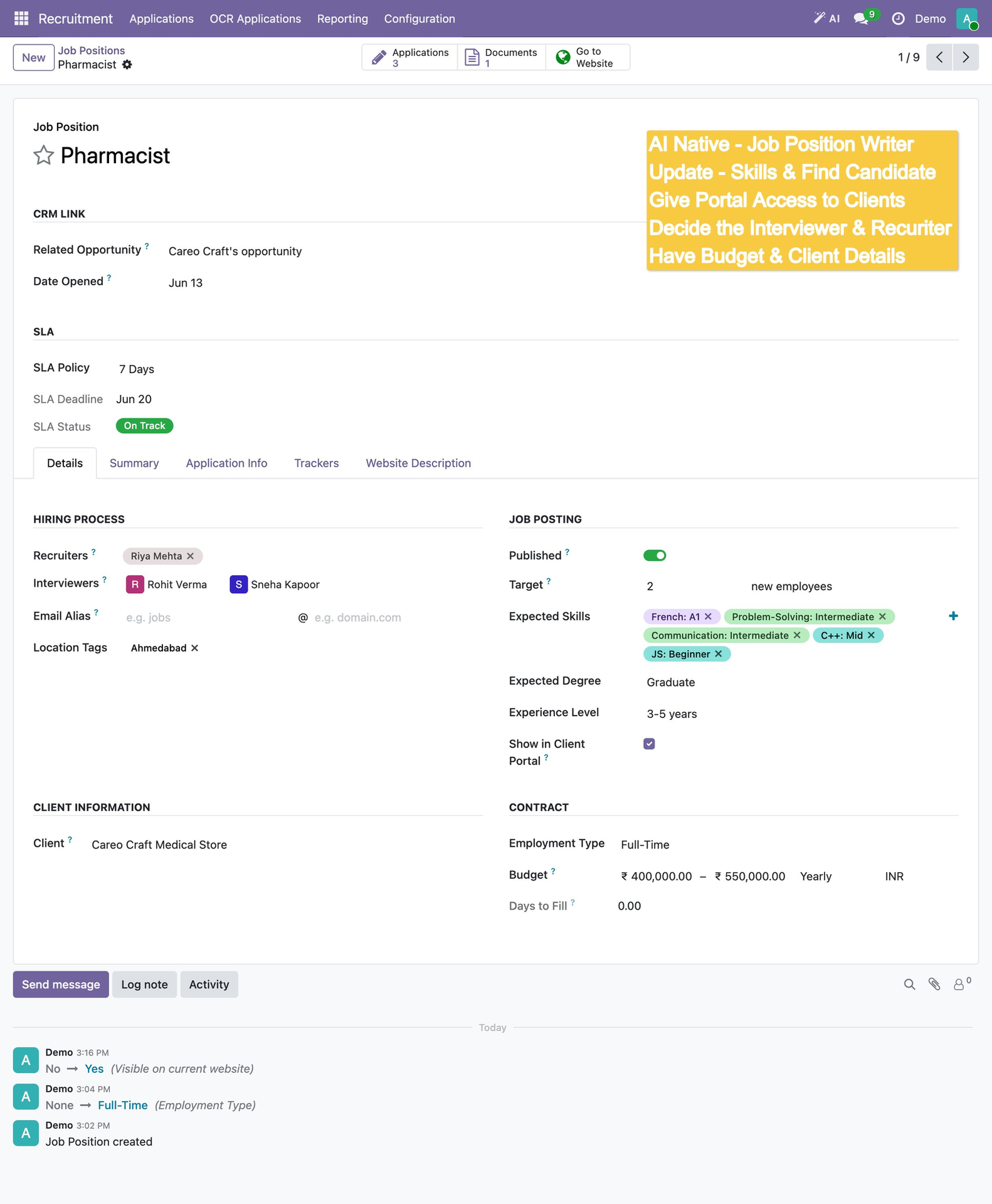
The Job Position form in HireBeans is the central hub for every open role. It combines hiring process setup (recruiters, interviewers, email alias, location), job posting configuration (skills, experience, salary budget, published toggle), client information, SLA tracking, and contract details — all in a single screen.
SLA Management: Keeping Clients Happy
Each job position gets an SLA Policy (e.g., 7 Days to First Shortlist), an automatic SLA Deadline, and a live SLA Status indicator (On Track / At Risk / Breached). This turns SLA management from a manual spreadsheet exercise into an automated system.
Application Kanban: The Hiring Pipeline
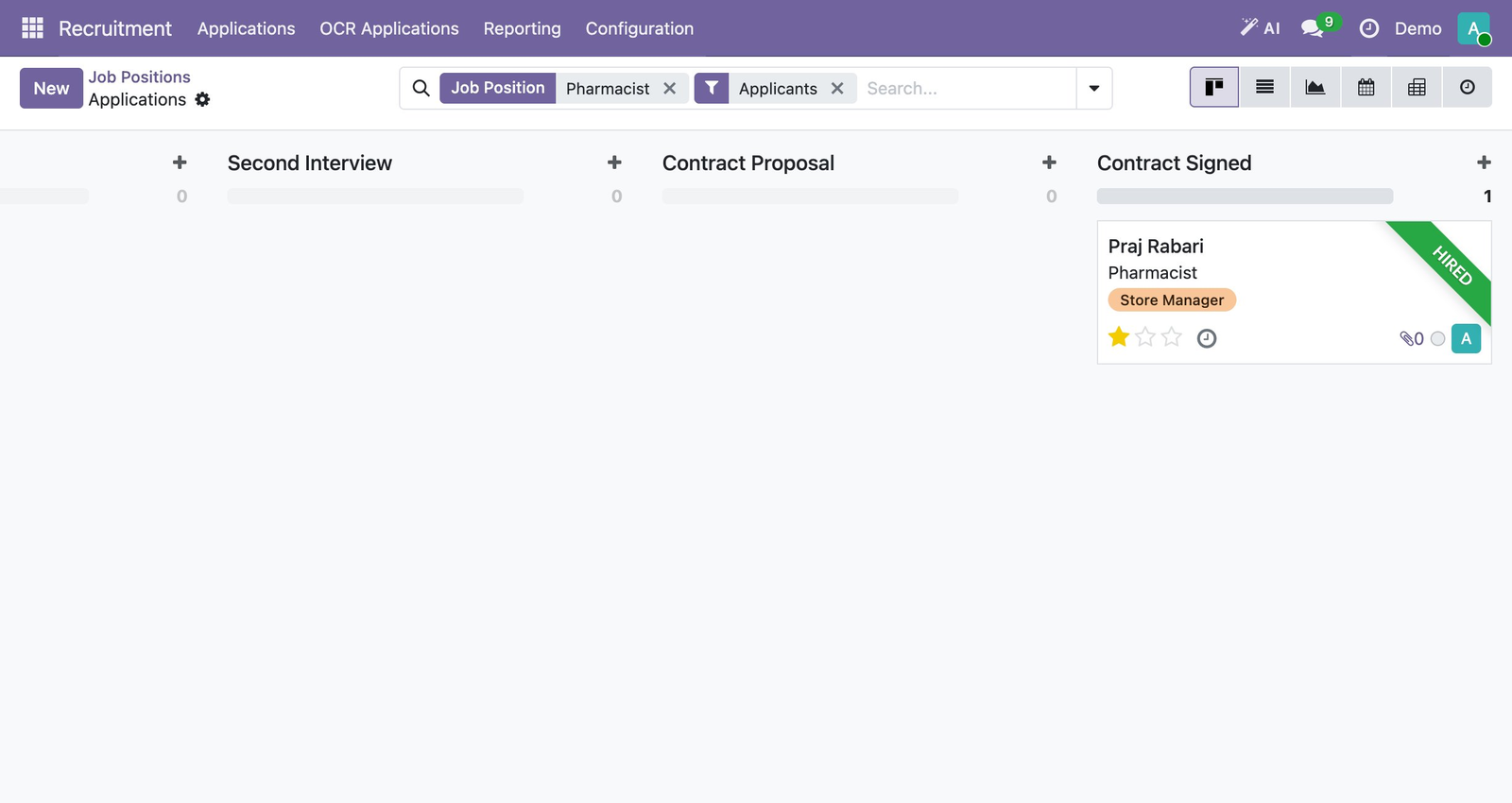
Once live, applications flow into a Kanban board with stages: New → First Interview → Second Interview → Contract Proposal → Contract Signed. When a candidate is placed, a green "HIRED" banner confirms the placement visually.
Want to manage multi-client job positions in one Odoo-powered view? Book a Free Demo at hirebeans.cloud
Book a Free Demo