
Quick Answer
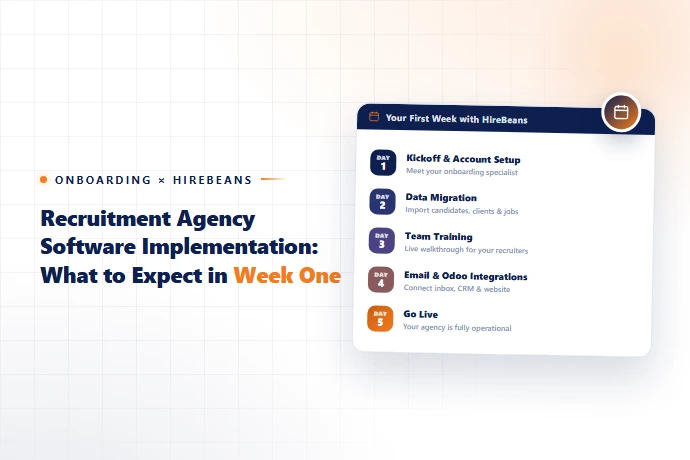
In week one of implementing recruitment agency software, expect account setup and configuration (day 1–2), data migration of existing candidates and clients (day 2–3), team training and permission setup (day 3–4), and a soft go-live with your first live job orders running through the new system by day 5. Platforms built for fast deployment, like HireBeans, can compress core setup into minutes rather than days — but data migration and team adoption still take real time regardless of how fast the software itself sets up.
Why Implementation Timelines Vary So Much Between Vendors
When you ask a vendor "how long does implementation take," the honest answer depends heavily on what's included in "implementation." Some vendors quote how long it takes to create an account and log in — which can genuinely be minutes. Others quote a full white-glove onboarding process including data migration, custom field configuration, and staged training, which reasonably takes weeks for larger agencies. Ask specifically what's included before comparing timeline claims across vendors.
A Realistic Week-One Breakdown
- ✓Day 1–2: Account Setup and Core Configuration
- ✓This covers creating your workspace, setting up user accounts and permissions, and configuring core settings like job order stages and client account structures. With a platform designed for fast deployment, this step alone can take as little as 5 minutes for basic setup — the remaining time in these two days is usually spent on decisions (how you want stages named, what fields matter to your workflow) rather than the software itself.
- ✓Day 2–3: Data Migration
- ✓This is usually the longest real bottleneck, regardless of vendor. Existing candidate records, client accounts, and open job orders need to move from spreadsheets or a previous system into the new platform. Ask your vendor directly: do they offer migration support, or is this entirely self-serve? A vendor with a straightforward import process (CSV upload with clear field mapping) meaningfully reduces this step compared to manual re-entry.
- ✓Day 3–4: Team Training and Email/Calendar Integration
- ✓Recruiters connect their Outlook or Gmail accounts (see our guide on email integration for recruiters), and the team gets walked through core daily workflows: adding candidates, submitting to job orders, logging client communication. This is also when permission structures get tested — confirming recruiters see what they should and nothing more.
- ✓Day 4–5: Soft Go-Live
- ✓Rather than migrating everything and flipping a switch, most agencies run new job orders through the new system first while finishing migration of older, less active records in parallel. This limits risk if something needs adjusting and gives the team a lower-pressure way to build confidence in the new tool before fully retiring the old process.
What Separates a Smooth Implementation from a Rough One
Factor | Smooth Implementation | Rough Implementation |
|---|---|---|
Setup complexity | Guided, fast core setup (minutes to hours) | Requires IT/developer involvement to configure |
Data migration | Self-serve CSV import with clear field mapping | Manual re-entry or vendor-dependent migration queue |
Training | Built-in guided walkthroughs | Reliant entirely on scheduled vendor calls |
Cost | Included or low-cost | Billed separately, sometimes substantially |
These are exactly the kind of questions worth asking before you sign — see question 13 in our 15-question recruitment software buyer's guide: "What does onboarding actually look like — hours, days, or weeks?"
Setting Realistic Expectations With Your Team
Even a fast-deploying platform requires behavior change from your recruiters. Set expectations that week one is about building the habit of working inside the new system, not achieving full proficiency. Most teams reach comfortable daily use by the end of week two, with full confidence (using reporting, KPI dashboards, and less-common workflows) by week three or four.
See How Fast Setup Actually Is
HireBeans is built for setup in as little as 5 minutes, with straightforward data import for candidates and clients. Start a free 30-day trial and see week one for yourself.