
Quick Answer
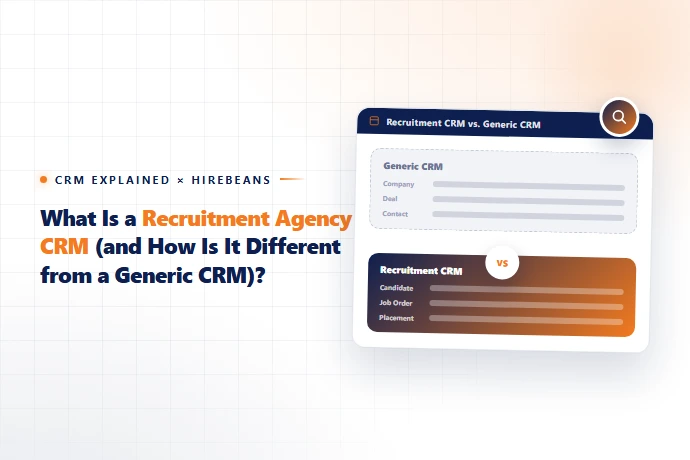
A recruitment agency CRM is software built to manage two connected relationships at once — candidates and client companies — through the specific stages of a hiring process: job orders, candidate submissions, interviews, and placements. A generic CRM like Salesforce or HubSpot is built to manage a single relationship (a buyer moving through a sales pipeline) and has no native concept of a "candidate," a "job order," or a "placement fee." Agencies that try to force a generic CRM into recruitment workflows usually end up bolting on custom fields and still missing core functionality like resume parsing, candidate portals, and submission tracking.
The Core Difference: One Pipeline vs. Two
- ✓A generic sales CRM tracks one type of relationship moving through one pipeline: a prospect becomes a lead, becomes an opportunity, becomes a customer. A recruitment agency CRM has to track two relationships simultaneously, on two connected pipelines:
- ✓The client side: a company becomes a lead, becomes a client, opens a job order, and (hopefully) becomes a repeat client.
- ✓The candidate side: a person becomes a sourced candidate, gets submitted to a specific job order, moves through interview stages, and becomes a placement.
- ✓These two pipelines have to stay linked — every candidate submission needs to tie back to a specific job order and client, so you can report on time-to-fill, submission-to-placement ratio, and revenue per client. This is the functional gap a generic CRM can't close without significant custom development.
Feature-by-Feature: Generic CRM vs. Recruitment Agency CRM
Capability | Generic CRM (Salesforce, HubSpot) | Recruitment Agency CRM (e.g. HireBeans) |
|---|---|---|
Core object model | Contacts, deals/opportunities | Candidates, clients, job orders, submissions, placements |
Resume parsing | Not native — requires third-party add-on | Built in |
Candidate portal | Not available | Built in |
Client portal for job order visibility | Not available natively | Built in |
SLA tracking per role | Requires custom build | Built in |
Placement/commission tracking | Requires custom deal-stage mapping | Native workflow |
Job board integrations | Not applicable | Built in |
Pricing model | Almost always per-seat | Varies by vendor — HireBeans uses flat-rate pricing |
Why Some Agencies Still Use Generic CRMs (And Why It Usually Breaks Down)
Agencies sometimes start on a generic CRM because it's already in use elsewhere in the business, or because the sales team is familiar with it. This can work briefly for very small agencies with a handful of clients and no dedicated recruiting workflow. It tends to break down once an agency has multiple concurrent job orders, needs candidate-facing communication, or wants to report on recruiter-level KPIs — at that point, teams are usually maintaining spreadsheets alongside the CRM just to track what the CRM can't.
ATS vs. CRM vs. "Recruitment Agency CRM": Clearing Up the Terminology
- ✓These terms get used inconsistently, so it's worth being precise:
- ✓ATS (Applicant Tracking System): historically focused on managing candidates through a hiring pipeline.
- ✓CRM (Customer Relationship Management): historically focused on managing client/company relationships and sales pipelines.
- ✓Recruitment Agency CRM: combines both into a single system, because agencies need to manage candidates and clients together, not as separate tools. Most modern platforms — including HireBeans — are really "ATS + CRM" hybrids sold under the CRM name.
- ✓We go deeper on this distinction in ATS with CRM: Why Recruitment Agencies Need Both.
What to Look for in a Recruitment Agency CRM
- ✓1. Native support for job orders, submissions, and placements as first-class objects — not custom fields bolted onto a generic pipeline
- ✓2. Built-in resume parsing and candidate portals
- ✓3. Client-facing visibility into open roles and submitted candidates
- ✓4. Multi-client dashboards if you manage more than one client account
- ✓5. Pricing that doesn't penalize you for growing your recruiter headcount
- ✓For a full breakdown of these and more, see our 15 essential recruitment agency software features guide, or work through our buyer's guide with 15 questions to ask before you buy.