
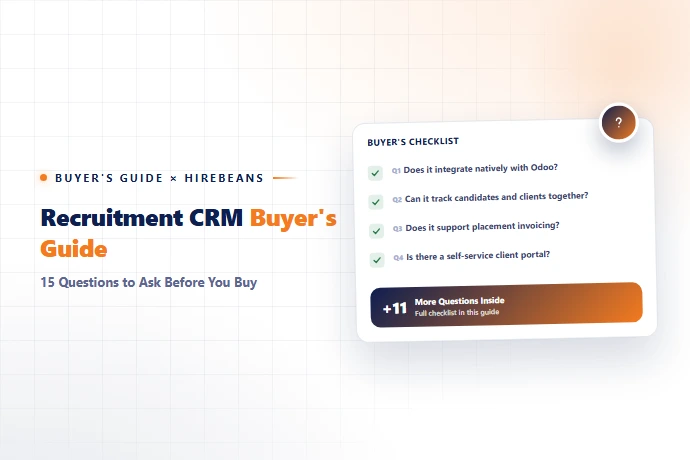
Quick Answer
To choose the right recruitment software, ask vendors direct questions across five areas before you sign anything: pricing structure (per-seat vs. flat-rate, and what happens as you grow), core workflow fit (does it handle job orders, submissions, and placements the way your agency actually works), candidate and client experience (portals, communication, branding), data and security (hosting location, export rights, compliance), and support and onboarding (implementation time, training cost, ongoing response times). The 15 questions below cover all five, in the order most agencies should ask them.
Why This Decision Is Harder Than It Looks
Most recruitment software demos look similar on the surface — a pipeline board, a resume parser, an email integration. The differences that actually matter show up later: in your invoice six months in, in how your team resists (or adopts) the tool, and in whether your client-facing reports look professional or improvised. A buyer's guide isn't about finding "the best" recruitment CRM in the abstract — it's about asking the right questions so the gap between the demo and your day-to-day doesn't surprise you.
The 15 Questions to Ask Before You Buy
- ✓Pricing & Contract Terms
- ✓1. Is pricing per-seat or flat-rate, and what happens when I add recruiters? Per-seat pricing quietly punishes growth. If your agency plans to scale headcount, ask for a projected cost at 2x your current team size, not just today's quote. HireBeans, for example, uses flat platform pricing instead of charging per recruiter.
- ✓2. Are setup, training, and customization charged separately? Some vendors quote a low base price and bill implementation, onboarding, and custom fields as add-ons. Get an all-in number before comparing quotes across vendors.
- ✓3. What's the contract length, and is there an early-exit clause? Annual-only contracts with no exit option are a real risk if the tool turns out to be a poor fit after 60 days of real use.
- ✓4. Is there a free trial, and does it require a credit card? A vendor confident in its product usually offers a no-card trial. HireBeans offers a 30-day free trial with no credit card required, for comparison.
- ✓Core Workflow Fit
- ✓1. Does it track job orders, submissions, and placements as distinct stages — not just a generic pipeline? This is the single biggest difference between a real recruitment CRM and a generic sales CRM adapted for hiring. (We cover this in depth in What Is a Recruitment Agency CRM?)
- ✓2. Can it manage multiple client accounts with separate visibility and reporting? If you run a multi-client agency, ask to see a live multi-client dashboard, not a mockup.
- ✓3. Does it support SLA tracking per role? If you run retained or exclusive searches, this is how you prove delivery timelines to clients.
- ✓4. How does resume parsing and candidate data entry actually work? Ask for a live demo with a real, messy resume — not a clean sample PDF the vendor has tested a hundred times.
- ✓Candidate & Client Experience
- ✓1. Is there a candidate portal, and can candidates self-schedule interviews? This directly affects candidate experience and recruiter time spent on scheduling admin.
- ✓2. Is there a client-facing portal, or does everything go through email/spreadsheets? A branded client portal is one of the clearest signals of a modern agency to your clients.
- ✓3. Does it integrate with the job boards your candidates actually use? Don't assume LinkedIn coverage is enough — confirm integrations with the boards relevant to your specific markets and industries.
- ✓Data, Security & Support
- ✓1. Where is candidate data hosted, and can I export it if I leave? Get this in writing. Data portability protects you from vendor lock-in.
- ✓2. What does onboarding actually look like — hours, days, or weeks? Ask for a realistic timeline from a recent customer, not the sales team's best-case estimate.
- ✓3. What's the support model — email only, live chat, or a dedicated account manager? For a tool your whole team depends on daily, slow support becomes an operational risk.
- ✓4. Can I see the platform's roadmap or recent release history? A tool that hasn't shipped meaningful updates in over a year is worth a second look before you commit.
A Simple Scoring Framework
Score each vendor 1–5 on the five categories above (pricing, workflow fit, candidate/client experience, data/security, support), then weight pricing and workflow fit at 2x if you're a growing agency — those two categories cause the most buyer's remorse when under-evaluated. Compare finalists using our 15 essential recruitment agency software features guide alongside this question list.
How HireBeans Answers These Questions
Question Category | HireBeans' Approach |
|---|---|
Pricing | Flat platform fee, no per-recruiter charge — see why |
Workflow fit | Built on an Odoo-based ATS purpose-built for agency job orders, submissions, and placements |
Client/candidate experience | Integrated client and candidate portals, self-serve interview scheduling |
Onboarding | Live in as little as 5 minutes for core setup |
Trial | 30 days, no credit card — start here |
Ready to Compare?
Run HireBeans through this exact 15-question checklist yourself — start a free 30-day trial, no credit card required, or explore the full feature set first.